Popular search
Introduction: Unlock Your Creative Potential
The Godox V100 is an incredibly flexible and powerful speedlight designed for both on-camera and off-camera use. Adding a flash to your workflow opens up a whole new world of creative possibilities. Whether you are shooting on location to balance ambient light and open up harsh shadows, capturing fast-paced events and weddings in low light, or taking it off-camera for total wireless studio control, the V100 is built to deliver.
Next-Gen Interface: The Touchscreen Revolution
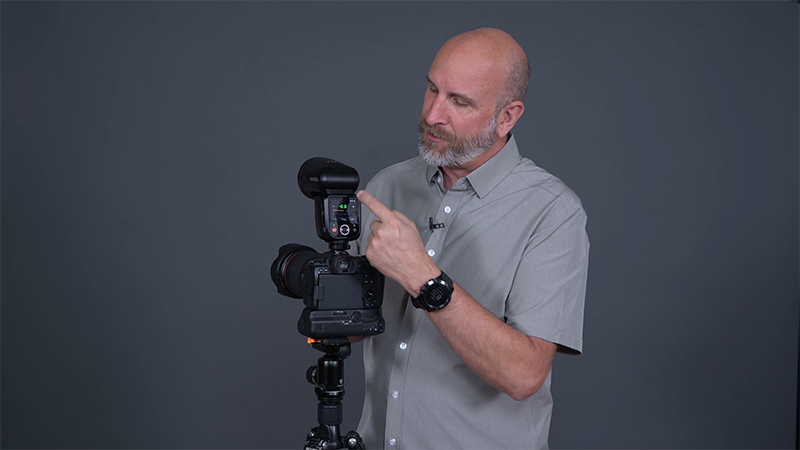
One of the standout features of the V100 is its large, highly intuitive touchscreen, which eliminates complex button combinations.
Getting Started & Basic Adjustments
●Powering On: Press the physical power button.
●Unlocking the Screen: Simply roll the virtual dial on the touchscreen to start.
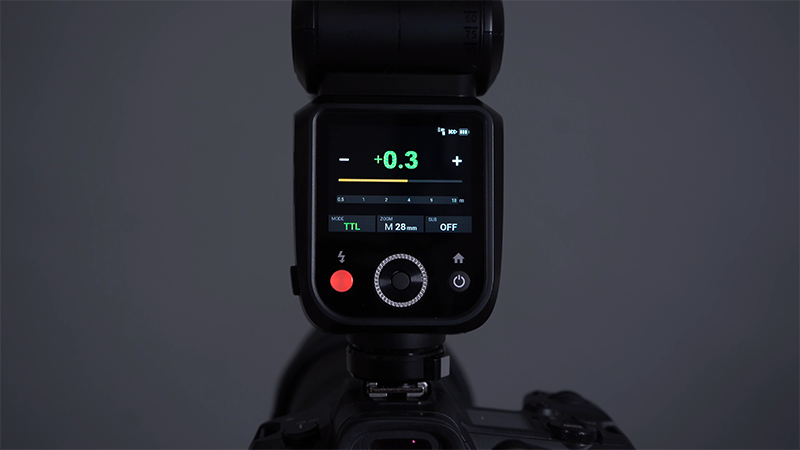
●Changing Values: Press and drag directly on the screen to increase or decrease exposure or power settings.
●Switching Modes: Tap the mode area to instantly toggle between Manual (M) and TTL modes.
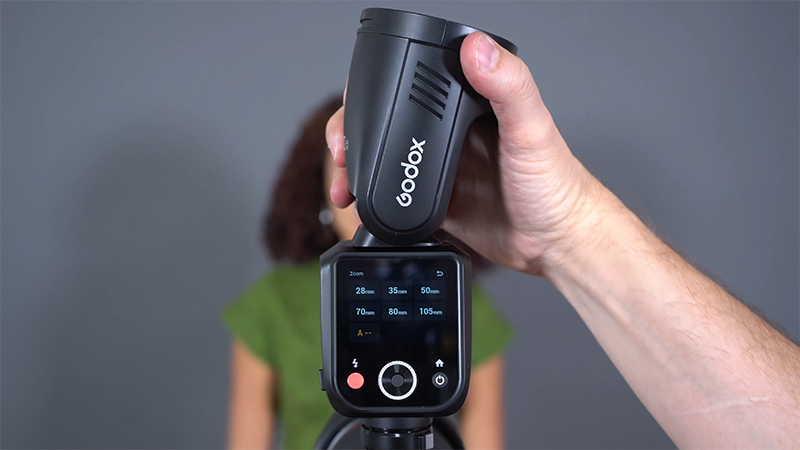
●Zoom Settings: Tap and adjust your flash zoom directly on the display.
Advanced Navigation & Shortcuts
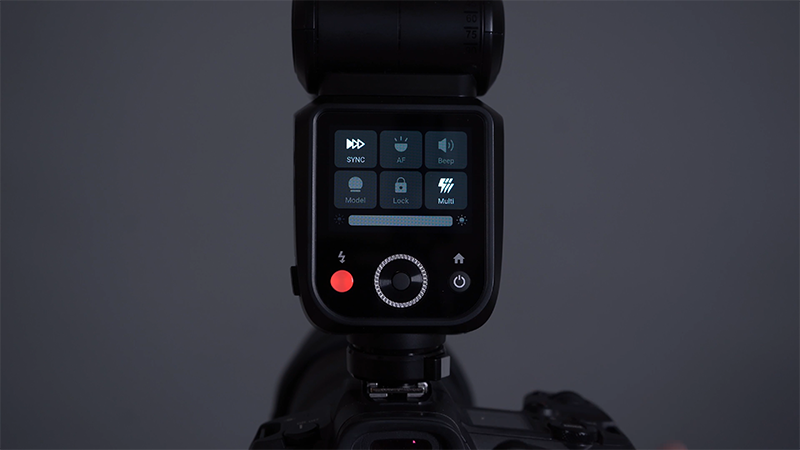
●The Drop-Down Menu: Drag down from the top of the screen to access frequently used settings.
○Change your flash sync type (e.g., High-Speed Sync).
○Toggle the Autofocus (AF) assist beam.
○Turn the ready-beep sound on or off.
○Turn on the modeling light and adjust its brightness.
○Lock the touchscreen or enable stroboscopic effects.
○Swipe back up when you're done!
●The Home Menu: Press the physical Home key to access main configuration options, such as setting the flash as a Sender or a Receiver. You can also jump into the system menu here to change preferences, like switching the distance scale from feet to meters.
The Analog Alternative
If you prefer tactile, physical feedback, the V100 still has you covered:
1.Press the physical SET button twice to highlight a setting with an orange square/border.
2.Roll the physical wheel to change the value (e.g., altering Zoom or TTL compensation).
3.Press SET again to lock it in.
Off-Camera Lighting: Going Wireless
Taking your flash off-camera is the secret to a professional-looking dimension. The V100 offers multiple ways to trigger remotely.
Option A: Using the Godox X3 Pro Transmitter (Recommended)
This is the most common and robust setup for modern wireless radio triggering.
1.Set the V100 as a Receiver:
○Press the Home key and tap Receiver.
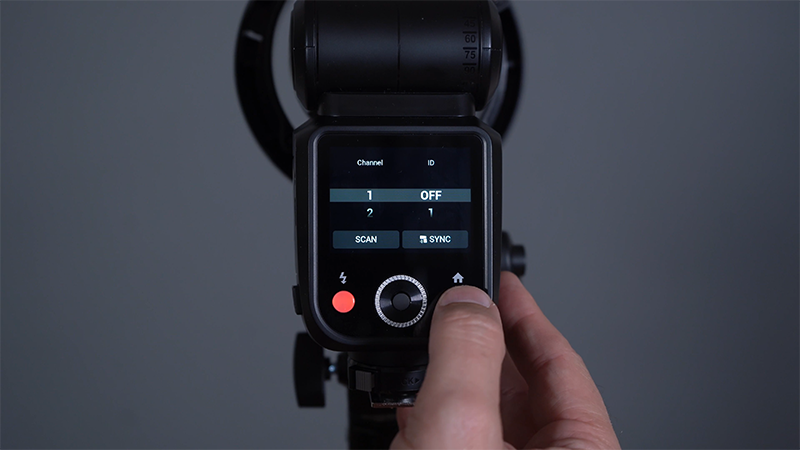
○Press the Home key, tap Wireless, and select a specific radio channel (from Channel 1 to 32) to avoid interference.
○Pro-Tip: If you are shooting in a crowded venue with other photographers, set an ID (a channel within a channel). If you are alone, leave the ID off and use Channel 1.
○Assign your flash to a Group (A through E) by tapping the group letter on the screen. (e.g., Group A for your key light, Group B for kickers, Group C for the background).
2.Operating the X3 Pro Transmitter:
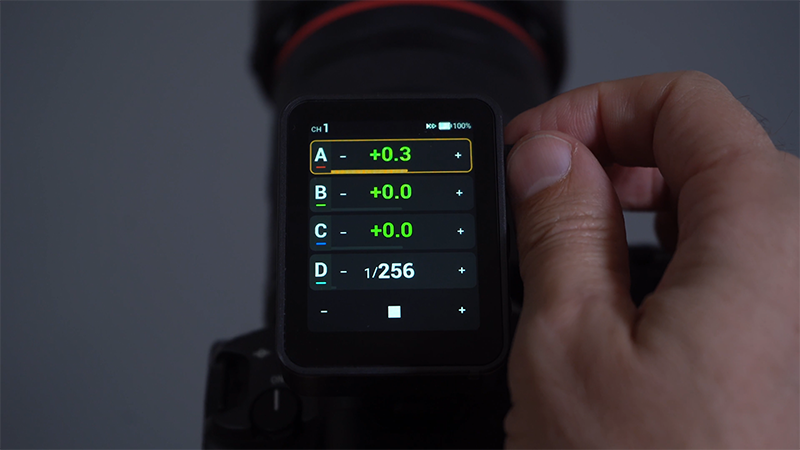
○Press and hold the power button to boot it up; it will automatically scan and find your V100 receivers.
○Tap on a group to adjust advanced controls like switching between TTL and Manual, adjusting power output, or changing the zoom.
○Swipe right from the left-side bar to return to the previous menu.
○Customize your view by toggling how many groups you see on screen (e.g., viewing just Group A, or expanding it to view Groups A–E).
Option B: Optical Triggering (For Legacy/Cross-Brand Setups)
If you need to sync with older studio strobes or other flash brands without radio compatibility, use the built-in photo cell.
1.Switch the V100 to Manual mode.
2.Press the Home key -> Menu -> Turn on the Photo Cell.
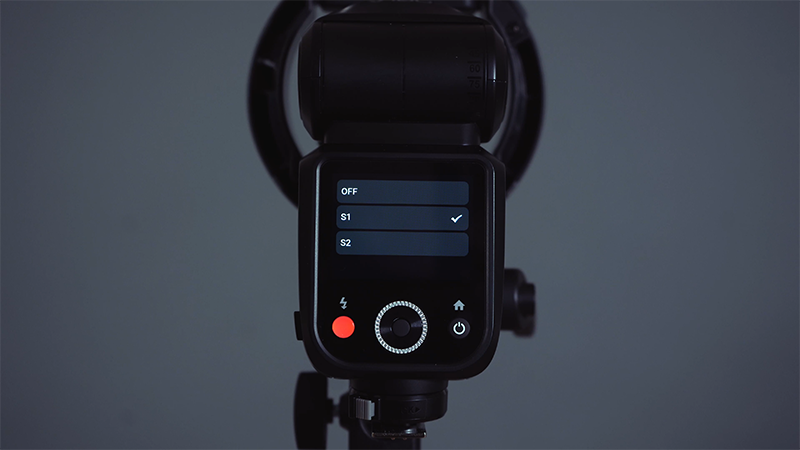
3.Choose your mode:
○S1 Mode: For standard flashes (like traditional studio strobes) that fire just once.
○S2 Mode: For speedlights utilizing TTL, which ignore the initial metering pre-flash and fire on the second main flash.
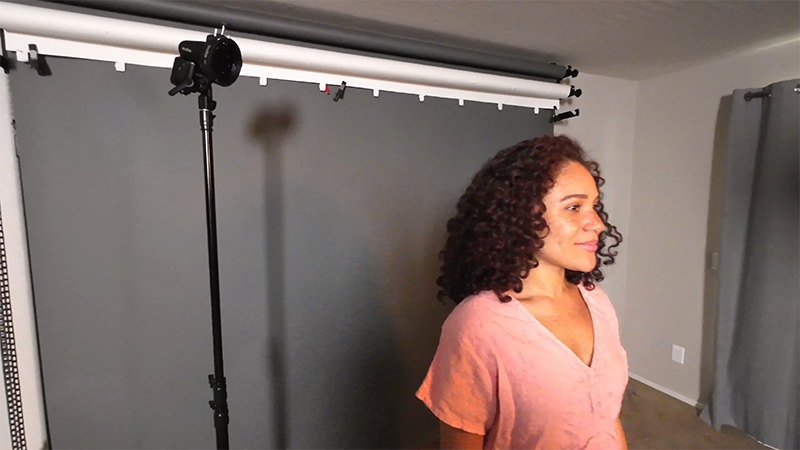
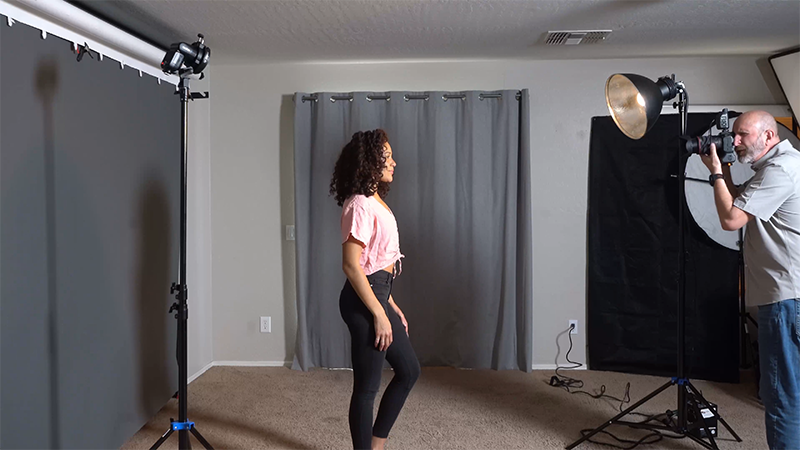
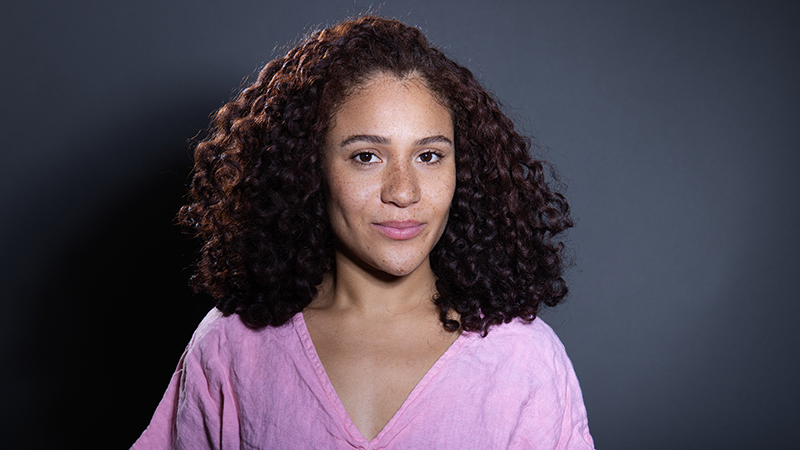
Real-World Demo: Combining New Tech with a 25-Year-Old Strobe In this setup, a 25-year-old Profoto pack and head is used as the key light to achieve a beautiful, 80s-looking portrait. To separate the model from the background, the Godox V100 is placed high up as a hair light in S1 Optical mode. The moment the old studio strobe fires, the V100 instantly sees the flash and fires simultaneously, giving us the perfect hair light.
Modifying Light: Straight Flash vs. Bouncing
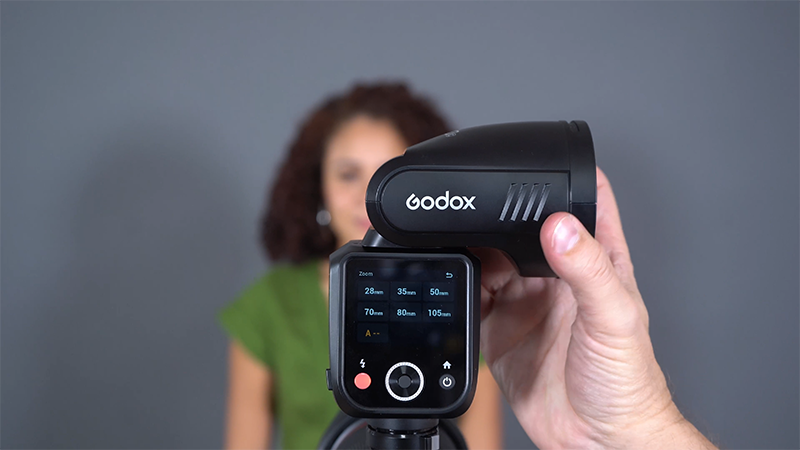
Because the V100's flash head can be completely tilted and swiveled, you can radically alter the quality of your light just by changing its direction.
Technique 1: On-Camera Direct Flash (Default)
●Setup: The flash is left in its default position, pointing straight forward over the lens.
●The Result: While the exposure is fine, direct flash produces a harsh specular reflection on the subject's forehead and creates hard, unflattering shadows behind them.
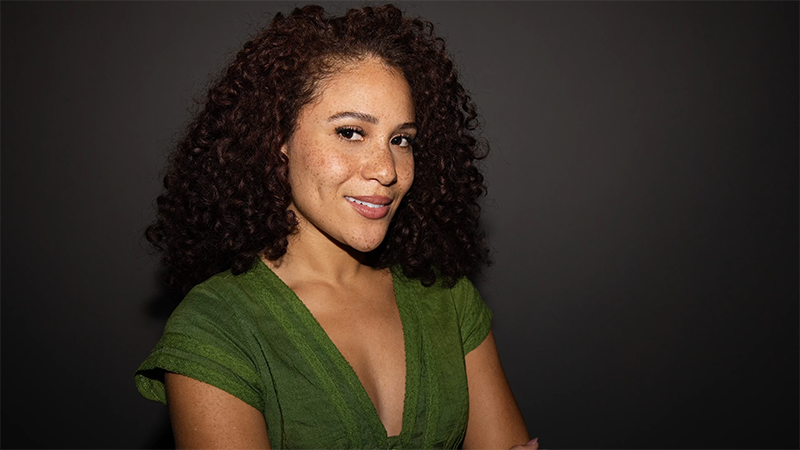
Technique 2: Bounce Flash (Reflected Light)
●Setup: Rotate and articulate the V100 head up toward the ceiling or sideways toward a wall or a white reflector panel.
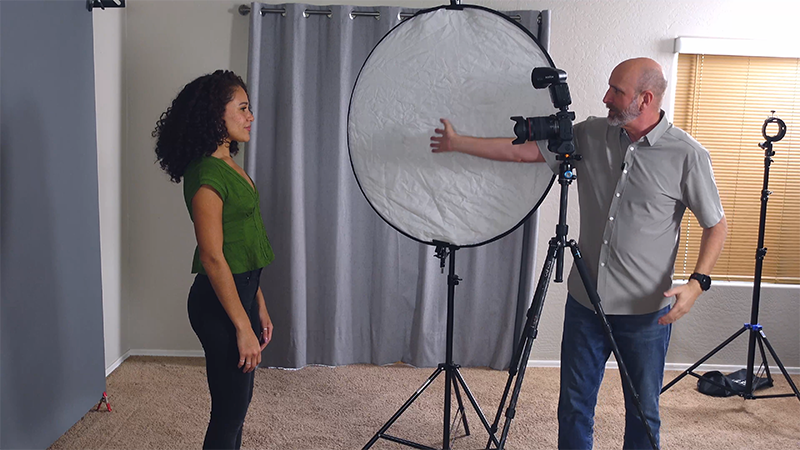
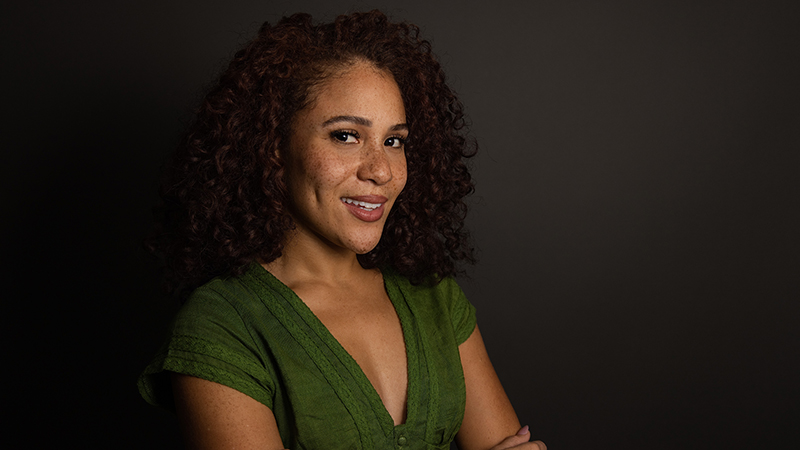
●The Result: By bouncing the flash off a large white surface, you turn a small, harsh light source into a massive, soft light source. The light wraps beautifully around the model’s face, softening the shadows, reducing oily reflections, and adding incredible depth and form to the portrait.
The Secret Weapon: The Sub Flash
While bouncing light off the ceiling or walls creates gorgeous, soft directional light, it has one major drawback: because the light is coming from above or the side, it often leaves the subject's eyes looking dark and missing that crucial catch light (the spark of light in the eyes).
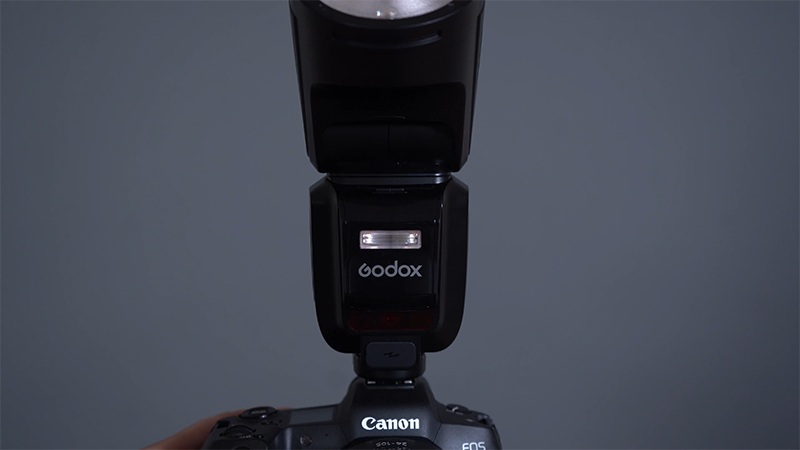
Enter the V100's secret weapon: the Sub Flash.
How to Set Up the Sub Flash
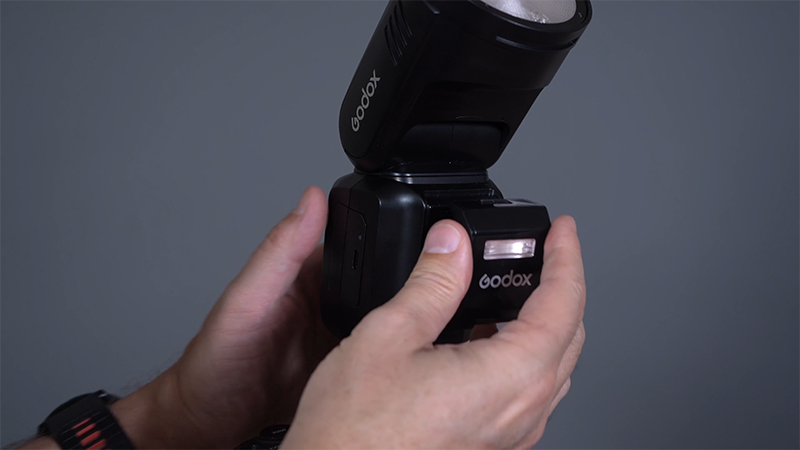
1.Attachment: Simply press the Sub Flash unit into the front slot of the V100 and click it down to lock it into place.
2.Control: Tap the lower right-hand corner of the V100 screen where it says "Sub".
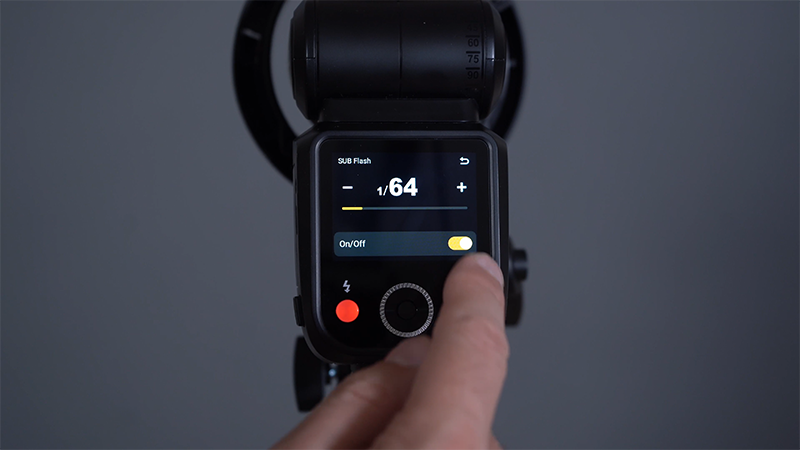
3.Adjustment: Turn it on/off and drag the power indicator bar left or right to set your desired fill power, then hit return.
Sub Flash in Action: The Cozy Coffee Portrait
●The Scenario: A portrait of our model holding a warm mug of coffee, shot at a very shallow depth of field (f/1.2). The main V100 flash head is pointed up to bounce soft light off the ceiling.
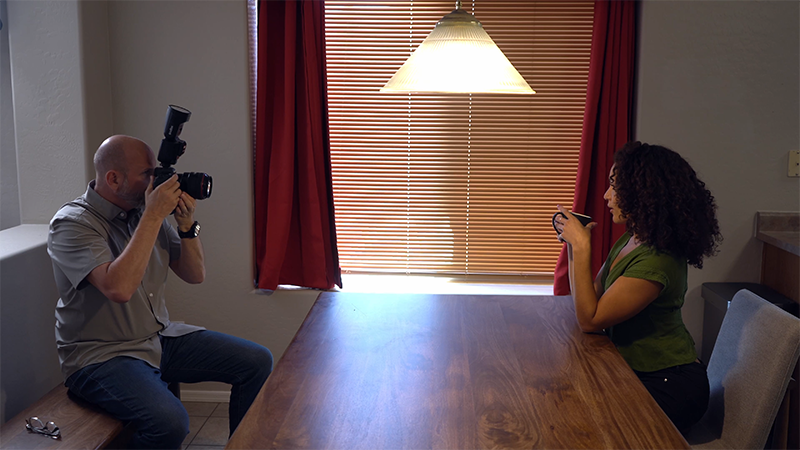
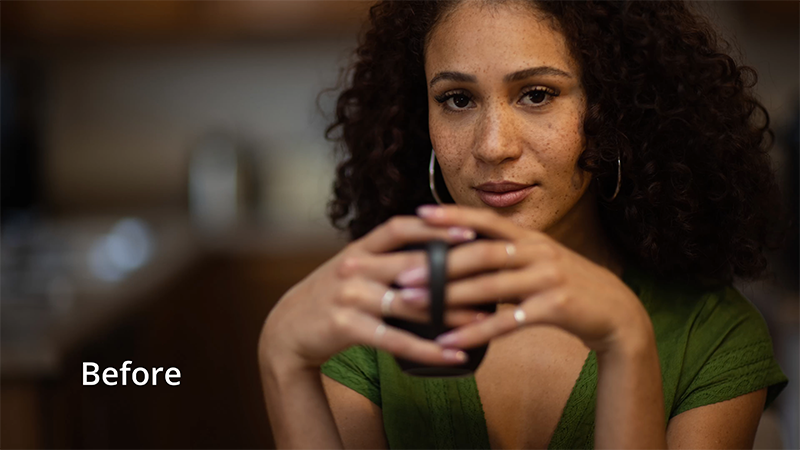
●Before & After Comparison:
○Without Sub Flash: The bounce light looks incredibly soft and pleasant, but looking closely at her eyes, they appear a bit dim and lack catchlights.
○With Sub Flash Enabled: The main flash still bounces off the ceiling to provide the overall soft illumination, but the small Sub Flash fires straight ahead. It instantly fills in the eye shadows, adds a brilliant, lively catchlight to her eyes, and completely elevates the dynamic of the portrait.

Conclusion
From its revolutionary touchscreen interface and seamless wireless ecosystem to the game-changing dual-flash Sub Flash system, the Godox V100 is the perfect speedlight for wedding photographers, event shooters, or anyone looking to master light in the studio.